

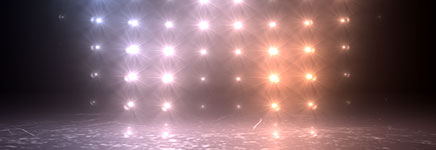
Hello everyone! Yes, it is here – a long-delayed new tutorial from the June series. It’s been around 6 weeks since the previous tutorial, but I have been incredibly busy building a new kick-ass hi-tech intro for the tutorials… No. Not really. The truth is I have been working on multiple commercial projects and could not find any time off for neither leisure nor tutorials. As for the intro – I knocked it together in a few minutes at 4:00AM last night.
This tutorial is a hybrid between the Automated Light Rig and Scrolling LED Text. We will be building an animated image map driven light array that can be used for for either cool light effects or easily controlled particle emission.
While the entire project can be completed within After Effects, I will also jump into Cinema 4D every now and then and show you a very easy way for creating quite complex light arrays and importing them back into AE.
Music used in the trailer comes from Beck’s Cellphone’s Dead from the album The Information. Music in the intro comes from… here.
Running time: 73min
Difficulty: Easy-Advanced (depending how much you want to learn :)
Required tools: After Effects
Optional software and plug-ins: Cinema 4D, Trapcode Particular, VC Optical Flares (or similar)
Preview video:
Tutorial:
Download the files associated with this tutorial below:
- Project File
(includes Automated Light Rig project, presets and other assets)
http://downloads.qubahq.com/tutorials/QubaHQ_LightWall.zip - Tutorial (184MB MP4)
http://video.qubahq.com/tutorials/QubaHQ_LightWall.mp4
You may also download the tutorial from its Vimeo page. The preview video can also be watched on YouTube.

This work is licensed under a Creative Commons Attribution 3.0 License.
Sorry mate, but what you are saying isn’t even coherent. Are you using some sort of automated translator?
looooooolz
sorry quba for my bad english
anyway problem solve…
Hey Quba,
Just recently came across your site, love your work and your presets, thanks so much for all your dedication to the Motion Graphics community!
So I’m playing around with your light rig here, but I’m having some issues. The animated text layer I’m using as the image map isn’t appearing correctly in the lights. I can sooort of see the letters now and then, but mostly it looks like the lights just jump around kind of randomly instead of revealing the correct text. I’m wondering, does this have to do with the position of the lights? All the lights are named accordingly, stacked correctly, in the correct row order, under the light controller layer, etc. However, I arranged them in AE, since I don’t use Cinema4D. Do the lights HAVE to be spaced equally apart in all respects, as they are when you created them in C4D for your tutorial? I don’t think it’s a problem with the font I’m using being too fat or anything like that. I will play around with it a bit more, but any advice would be great!
I could send you the project file as well if you are totally baffled by this as well. Thanks!
Hey Groove!
There are a few common problems with the light wall that can be hard to spot:
1. The grid size in the controller may be set in opposite order (should be X,Y but maybe you made it Y,X)
2. The lights being stacked in a wrong order (check them again, please). Most commonly people either do:
1 4 7
2 5 8 <--- columns first (wrong) 3 6 9 or 1 2 3 6 5 4 <--- zig-zag (wrong) 7 8 9 They HAVE TO be: 1 2 3 4 5 6 7 8 9 Try testing the order in which the light light up by animating a solid rectangle passing horizontally through the map. You may be able to spot the pattern in there. If the rectangle yields correct results, but the text is still unreadable, play with the map blur (I think that's what the controller was called, maybe it was sample radius) or pick a thicker typeface. Hopefully that will help, good luck!
Hey Quba,
So I went back and really took a look at the order of the lights, and indeed it was AAAAALL mixed up. After Effects has a really stupid way of duplicating objects and switching the order of things. In any case, once I got the order correct, everything works fine! Thanks!
You can check out the animation I used the presets in at this link: http://www.youtube.com/watch?v=rZd3YmOcCZo
I even gave you some props in the comment section ^_^
Hello mr Quba,
Thank a lot for your amazing work !
you are precious !
thanks alot
i looked at for translate or understand the error expression in line2 “layer”
He Quba.
Thanks for your tutorials, they are great!
I have a question. I’m pretty new to after effects but would like to apply the lights to go with beats of songs. I saw a videocopilot tutorial on getting particles to vibe with the highs and lows of a music track. Would you know how to apply expressions for your light settings? It would be great to use.
Thanks.
There is a bunch of ways of applying audio to the rig… hard to really give you a simple answer.
Two simplest ways would be to convert audio to keyframes and then:
1. Create a black solid on top of your image map and link up its opacity to the audio keyframes (all lights would shine in sync with music)
2. Create a matte for the image map (can be a simple solid with a “hole” made with a mask) and then link it’s position or rotation to the audio (depending on the audio volume, different sections of the wall would light up).
Thanks for the reply:
Thanks to you, this is what I made:
http://www.vimeo.com/21208379
Hi Quba Michalski,
thank you so much for your nice tuttorials.
I’ve learned manything from its.
By, the way, where we can find sky background images like you have man?
thank you for everything ;)
keep on going ;)
Hello Quba Michalski!
thanks for your amazing tuto but i have got just a problem about the light wall controller preset , it doesn’t work :(
CS5 Mac osx
@wesley If you are using French version of After Effects, the preset will not work, as it has been localized only for English version. Google translating after effects expressions – if I recall correctly, there was a script that did it.
If you AE is in English, then you must be doing something wrong. So far I had around 10 people contact me with “preset errors” and each time it turned out to be them missing a step in the instructions. Also check the comments above – maybe your problem is similar to what you’re experiencing?
Good luck!
Hey Kuba,
przetlumaczyc ci ten Preset na niemiecki AFX?
Pozdrawiam
General, spoko – bardzo chetnie wypuszcze update z dodatkowym tlumaczeniem. Z gory dziekuje.
Love the tutorial. Just had a question about it. I recall you saying that it was possible to do this entirely in AE and it says that the Optical Flares plugin is optional. I’m not sure if I missed it in the tutorial somewhere but is there a way to get the same effect without using Optical Flare and using something that’s native to AE?
Hi Quba
brilliant tut as always. I have just one problem with the outcome (not sure if anyone else had this issue)
Everything works fine except the floor. I cannot get the floor to interact with the lights correctly. When I move the floor it seems to change color correctly then as soon as I let go it goes white. renders white too.
Its all correct as your tut says, 3d etc etc… can’t figure out what the reason is!
Any help much appreciated!
Just deleted and made a new floor and it is fine now.. not sure why as they are identical.. very strange.
But I have another question. i have created an object in cinema 4d which have inserted into this project. How is the best way to get the lights in the light wall to effect the object? currently it looks out of place as the lighting does not do anything to it.
thanks for any help you can give..
Hi Quba,
I’m having two issues with the progress on designing the lightwall:
The first is at around the 30:00 mark in the video, where I apply the Lightwall_Light preset to my lights and turn on the floor to see the effect – a dialogue box comes up saying:
Bad Argument: couldn’t find effect named ‘Light Boost’.
Expression disabled.
Is that effect supposed to come with the presets? Or where can I acquire it? Can’t find it online.
The other thing is that when I preview your project file, the Lightwall doesn’t appear at all, only the particle portion does – I feel it’s related to that missing effect.
Please help, I’d really appreciate your time! Thanks again!
Hi Quba – I figured it out, it turns out my Mac Pro is an old piece of sh$# and it works fine on my MBP. Thanks again, your tutorials and skills are amazing – keep it coming man!!
Well, you seem to know quite well what u’re doing
but you don’t seem to understand what it means to be clear and to teach
it’s not a tutorial very easy to follow, u have to pause and pause and pause, because u just do things and don’t prepare ur audience to what u’re doing, ther’s no structure
the content is very good, the form is quite poor
too bad
25th September 2012
At timecode 33:50 in your tutorial, when play is pressed, the animated text should move through the light wall.
Having recreated the entire project twice (I thought that I had missed something), mine does not animate through the wall.
I also notice that the version of the controller that you are demo-ing is not the same as the one that I have just downloaded off your site. Your light wall controller has animation presets visible, but mine does not.
Has the Light Wall Controller changed since this tutorial was recorded?
Dear Quba,
I try to copy your Light wall with drag and drop in my presets in after effect and unfortunatly, I don’t see your pluggins come in my librairy of pluggins in my after effect (right schedule).
Have you got an idea of problem? Can you explain me how do with mac version?
The Best…
Daddy
I have the same probleme than DADDY.
I don’t see your pluggins come in my librairy of pluggins in my after effect.
I have a mac, Is the problemes ?
Quba,
w tym tut. mam problem, z którym nie moge sobie poradzić.
mam mocny komputer i AE CS6 na Windows 8 ale po załadowaniu presetów do świateł i Optical Flare wszystko zaczyna się tak mulić, że nie mogę juz nic więcej zrobić.
Czy to może być wina starych presetów na wcześniejsze wersje AE? czy mam jakiś problem z ustawieniami.
bardzo chciałbym skończyć ten tutorial bo jest świetny ale tu się zatkałem i nie mogę dalej ruszyć.
proszÄ™ o radÄ™
Hi Quba
I have the same problem as in Urgol.
On a powerful laptop is very very slow to render.
Because of what it could be?
64-bit Win7, CS 6, Ram – 16gb, video GTX680 2gb ram, CPU i7-3770,
hi Quba,
like all of them i am really facinated by your tutorials and you are a great inspiration for me. I have a question too, can v create this light wall using trapcode form and VC OF only.
Hi ! Nice tutorial, nice effects !!!
But I’m stuck with the preset, maybe within the expression or elsewhere :
I use AE in french version maybe the problems comes from there, and when at minute 30 of your tutorial I want to apply QubaHQ_LightWall_Light on all of my lights, I get an error saying (in french) that “CLASS “Effect” doesn’t have property or method named “Layer”… ”
Is it the whole preset that is unusable in my case? How can I alter it? Do I have something to modify in the expressions_file ? What can I do to make it understood by my french AE ?
Thank u so much before hand, I really wanted to learn how to animate this wall of lights……. Thanks
Hey Mar,
Unfortunately, when I first wrote this script I was still learning AE scripting and didn’t know how to do multilingual versions.
It will only work with english AE – unless you find some script that does the translation. Sorry :(
I have a question about it. I have to simulate a screen LED squares, this tutorial can by aplied to my need?
i dont think your lightwall effects works anymore in CC :(
shame
It does work just fine. I designed it long long time ago and the process is very convoluted. Enough to mess up a single naming convention and the whole thing falls apart… but it does work if you follow instructions carefully.
[…] Tutorial+Preset: Light Wall […]
[…] Tutorial+Preset: Light Wall […]